
Everything you have to manage. One simple system.
One aviation safety management system (SMS) for documents, compliance, meetings, risk, reports, change and audits, all working the same way. The V1 assistant drafts the hard parts, and a person decides.
- From documents to audits
- Every area works the same way
- The V1 assistant drafts, you decide
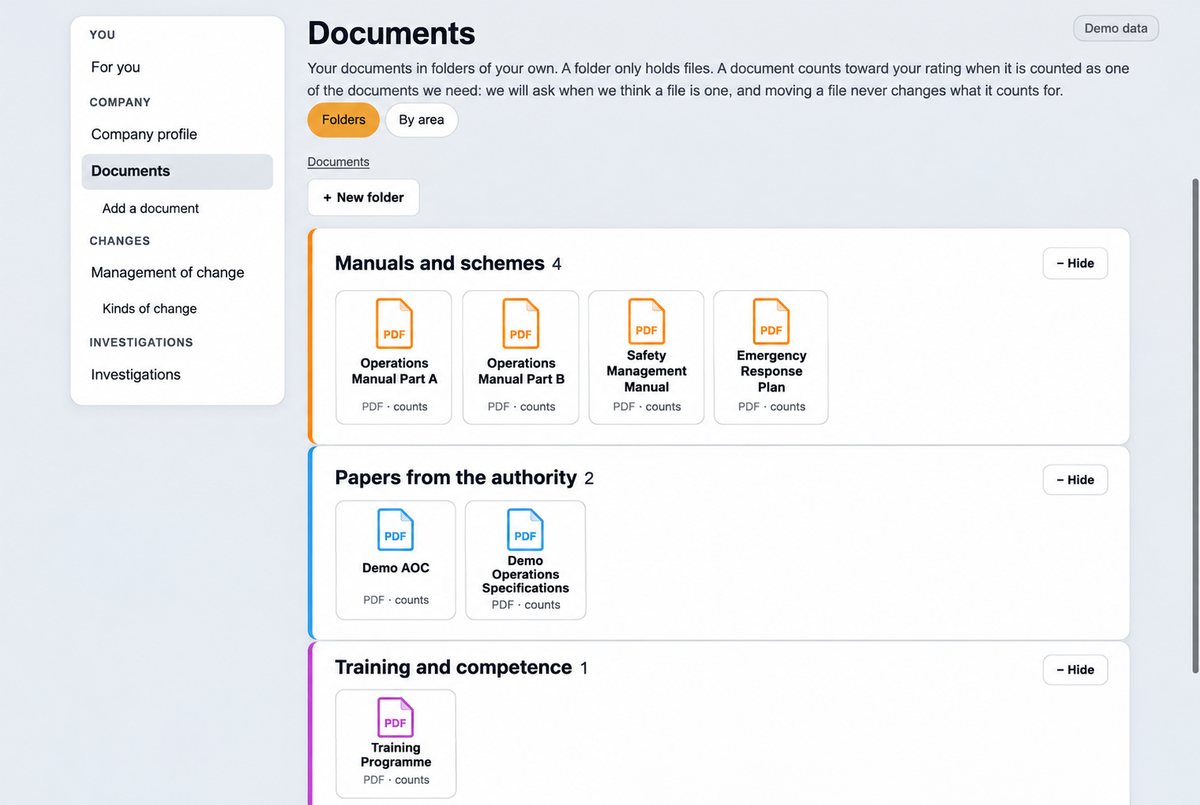
Know what to hold, and keep it current
Upload your manual and certificate and V1ims suggests the documents your operation needs, some required and some optional. You choose, and every document and version sits in one library.
- A suggested list, drawn from your own manual and certificate
- Every document and version, with review dates
- “Does not apply to us, because…” recorded where you set something aside
- Any file type, in folders you name and colour
 The V1 assistant helps here
See what needs attention, at a glance
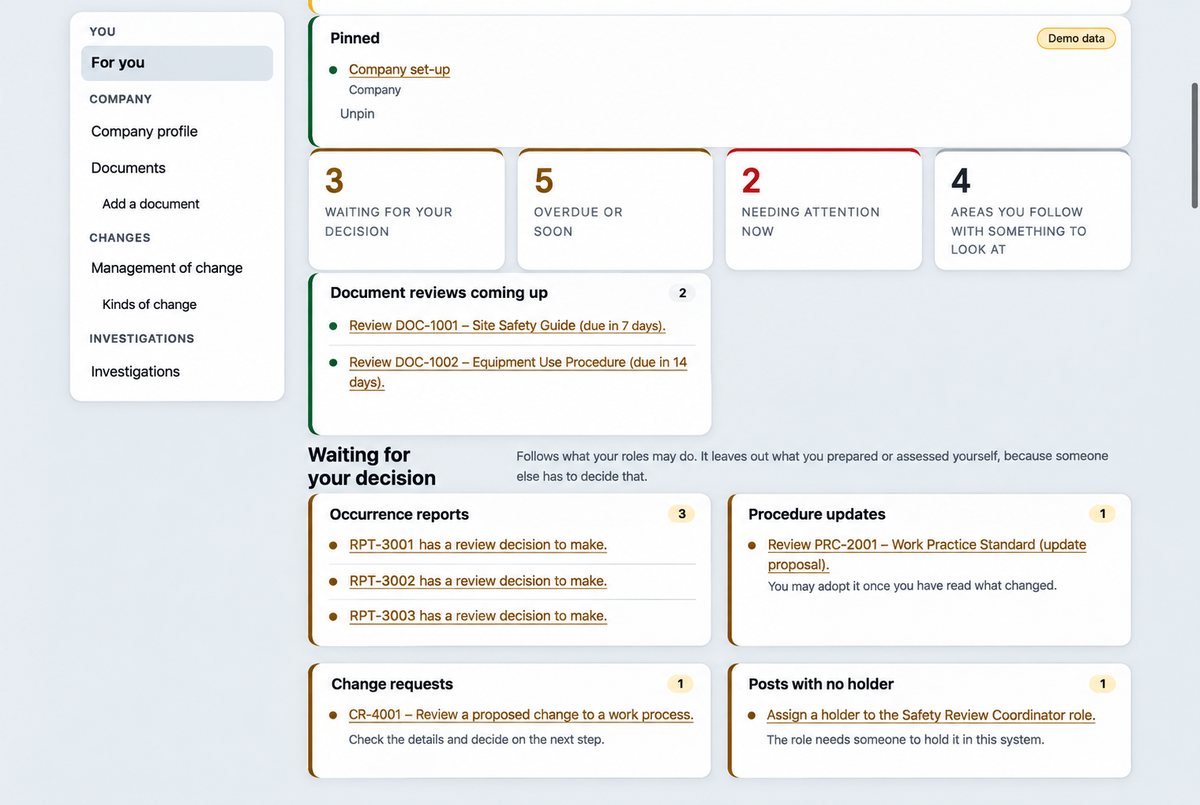
One view shows what is due, overdue or waiting: a document past its review date, a report not yet looked at, training falling due. When the regulation changes, you see which of your documents rest on the changed rule.
- Regulation sources checked daily for a new edition
- A new edition compared rule by rule, and a person decides what to do
- Audit checklists tied to the rule or manual paragraph they test
- Overdue and repeat findings shown
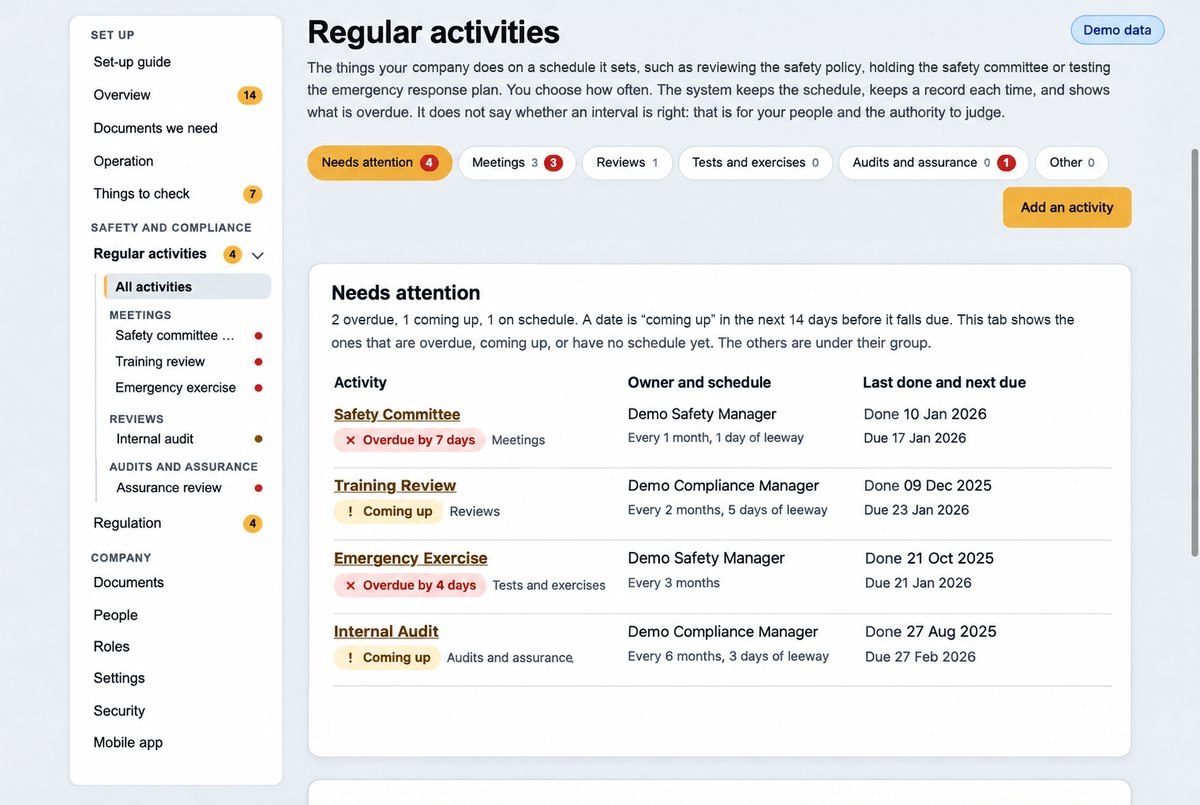
Minutes drafted for you to confirm
Connect your video meeting service and schedule safety meetings from V1ims. Afterwards the assistant drafts the minutes and action points from the transcript, each point tied to what was said, and you confirm them.
- Committee terms, attendance and actions carried forward
- Nothing is kept until a person confirms the draft
- Recordings kept only as long as your company sets
The V1 assistant helps here
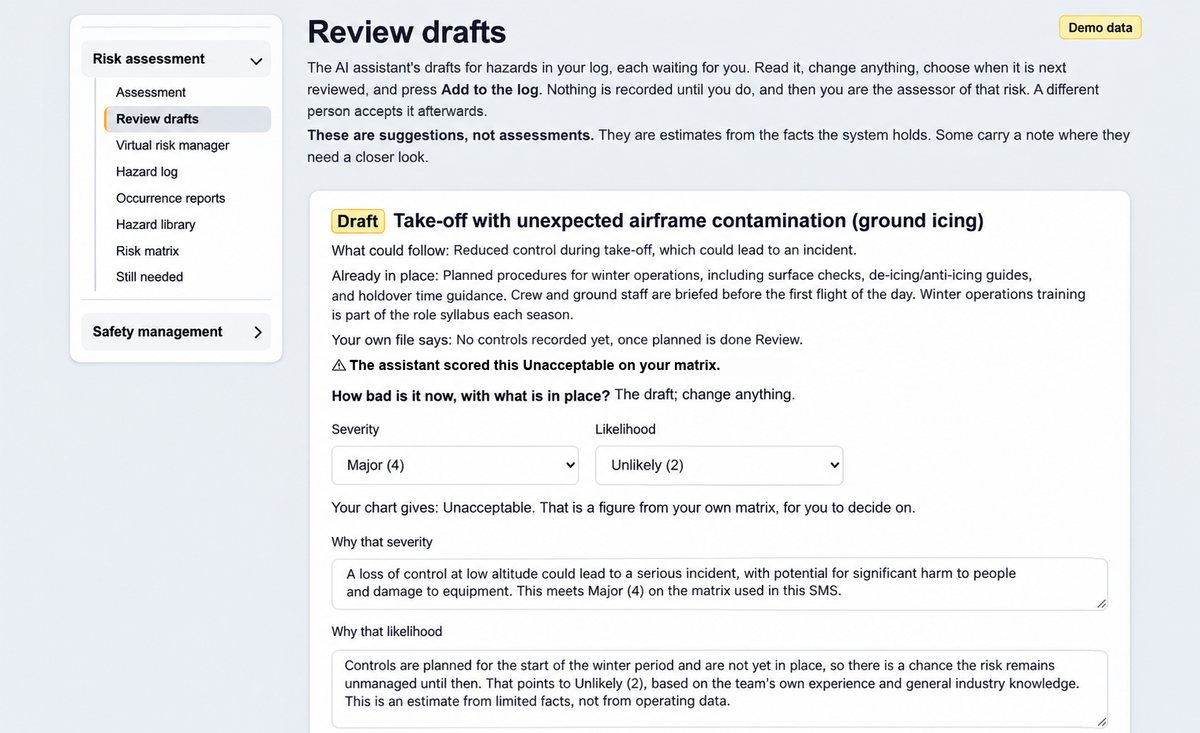
Risk assessments drafted on your own matrix
The assistant suggests hazards, controls and a score on your own risk matrix, from your documents, aircraft and reports, and quotes the page it relied on. You review it, and a different authorised person accepts the risk.
- Hazard log, hazard library and risk register
- Assessed now, and again after planned controls
- Acceptance by a different authorised person, set by risk level
The V1 assistant helps here
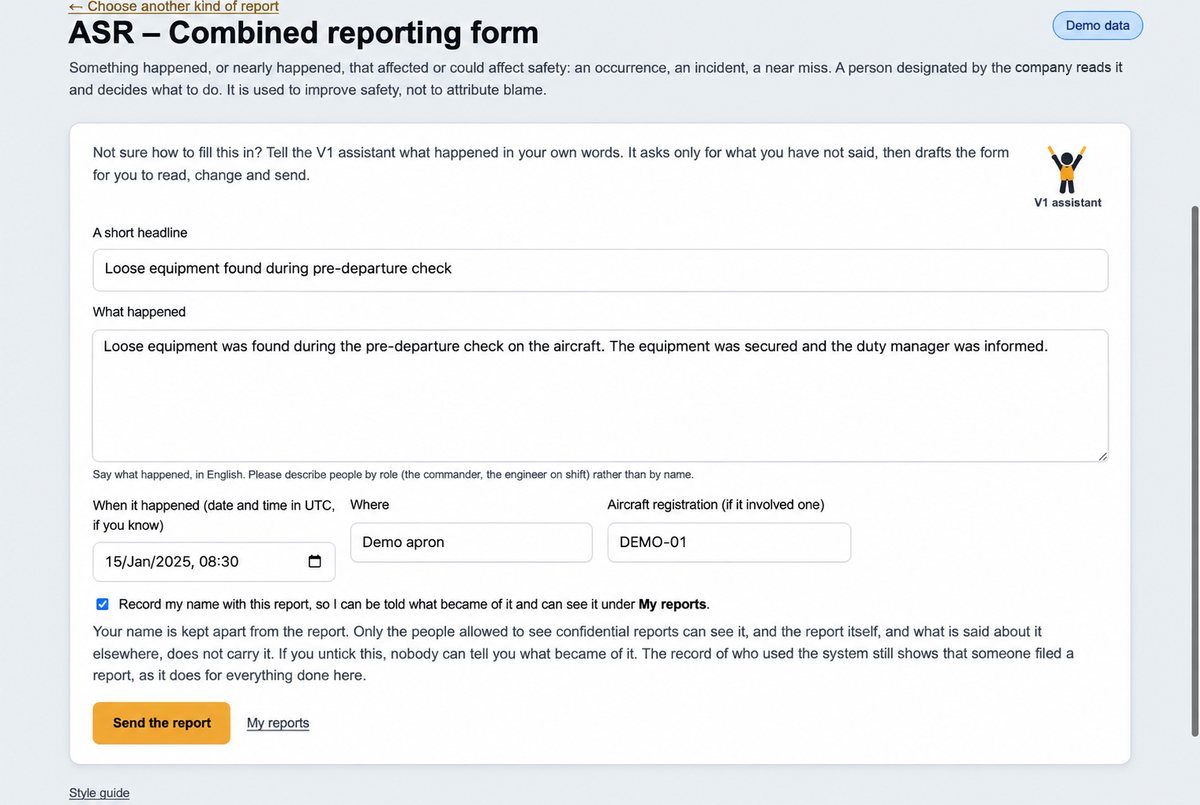
Report it in a conversation
Anyone can report from the app or the web. The assistant asks the questions a complete report needs and drafts it for the reporter to check, then it goes to the person who looks after reports.
- Safety, deviation, service failure, hazard and proposed-change reports
- The reporter’s name kept apart from the report
- The regulation’s reporting timescales tracked
- Investigations keep the timeline, evidence and findings together
The V1 assistant helps here
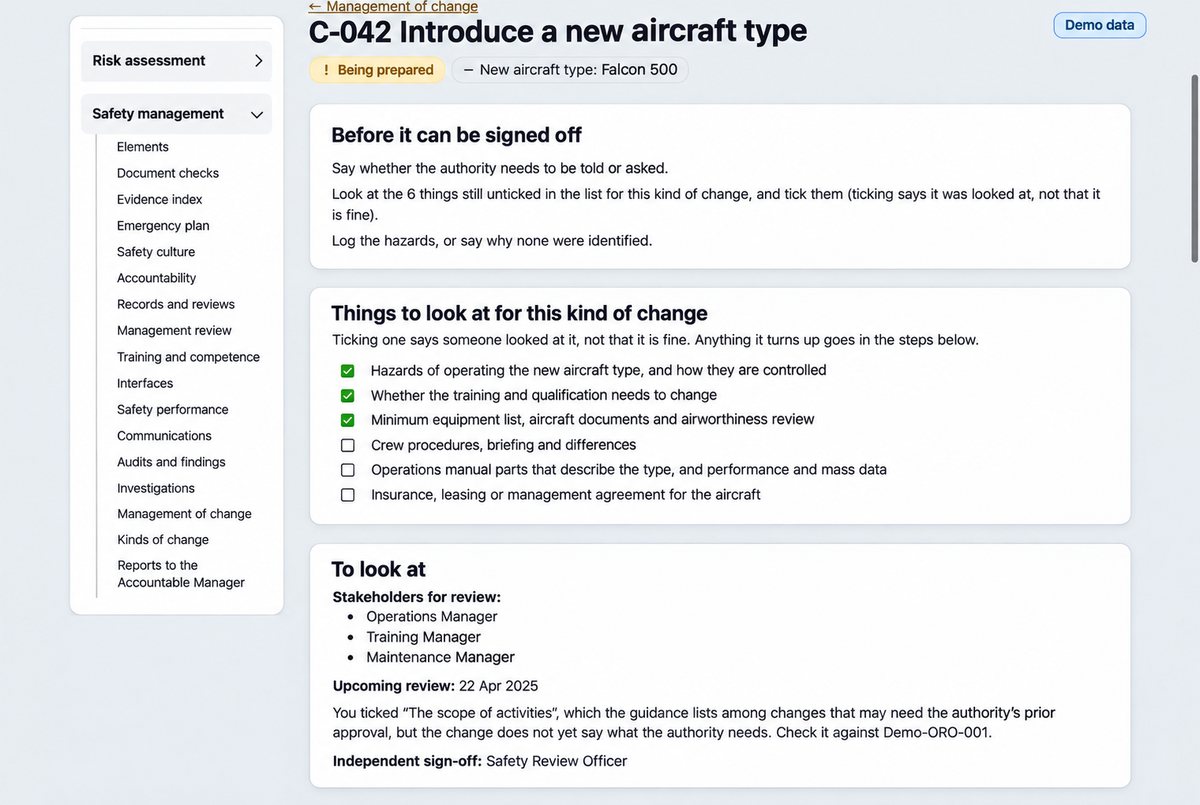
Change, one step at a time
Choose the type of change and describe it. V1ims takes you through the CAA’s six steps, brings the manual passages it touches, and shows what to look at, who to tell and who signs it off.
- Types of change you define for your operation
- A prompt where the authority must approve first
- Signed off by a different person, with a follow-up review
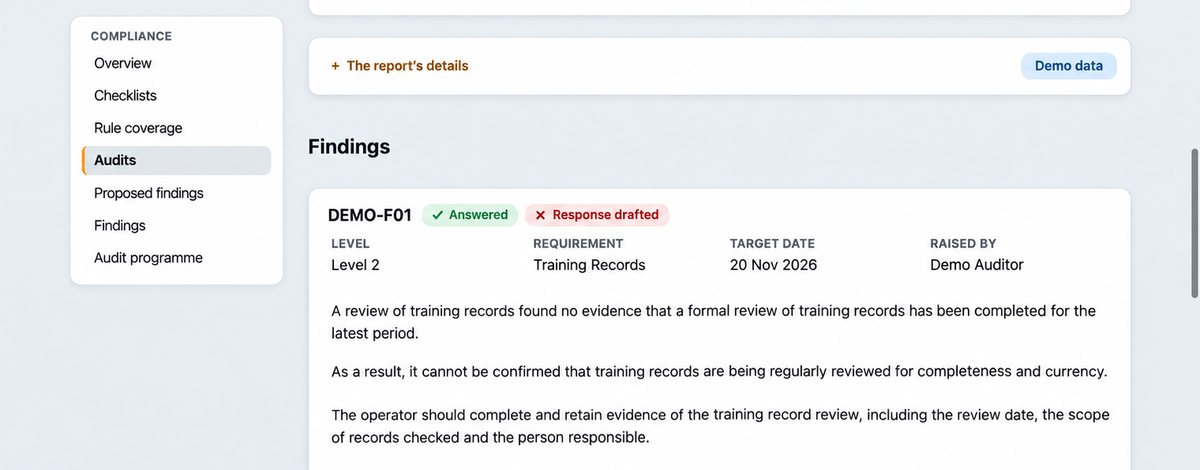
From audit report to response
Feed in your audit report and its findings are read out for you to confirm. Assign the actions, attach the evidence and prepare your response, with the assistant helping you draft it.
- An audit programme, with checklists from your own workbook
- Findings with root cause, corrective and preventive actions
- Closed by a different person from the one who did the work
- Your response exported as a PDF
The V1 assistant helps here
Your manuals, even without a signal
On iPhone and iPad your documents stay up to date and searchable without a signal, and reports wait on the phone until you are back online.
- An out-of-date copy is shown as out of date
- Safety messages and alerts acknowledged from the phone
- Locked with a PIN
- Operations Manual Part AIssue 7, on this phone✓Up to date
- Safety Management ManualIssue 4, on this phone✓Up to date
- Emergency Response PlanIssue 2 here; issue 3 waiting to download!Out of date
Ready when the auditor asks
Every record, version and change is kept, and the audit trail cannot be edited. An evidence index lays out what you hold against the 27 elements of the EASA Management System Assessment Tool, with a spreadsheet export.
- Separation of duties built in: risk acceptance, change sign-off, closing findings
- Management review inputs and decisions in one place
- Reports to your accountable manager kept as they were
- Safety policy and objectives6 records
- Accountability and key people9 records
- Hazards and risk24 records
- Safety performance11 records
- and the other 23 elements
✓Audit trail cannot be edited
Shows what you hold. It never says an element is met: a person records that.
The assessment tool is a framework we use to organise evidence, and the regulation text V1ims holds is the UK CAA’s. Neither is an approval, and V1ims never says an operator complies.
The optional V1 assistantIt drafts. A person decides.
Nothing changes on its own
A draft changes nothing until a person adopts it. The person who scored a risk can never be the one who accepts it.
Quotes are checked
A quotation is kept only if it is on that page, word for word, so a quote is never invented. It can be wrong, and when there is nothing to show it says so.
Your choice
It is off until an Administrator at your company switches it on. The rest of V1ims works without it.
More about the V1 assistant · Where the words go, and who processes them
And the rest of your safety system
People and training
Who holds each post, with deputies, training due and competence checked by someone else.
Safety performance
Indicators with targets and alert levels, feeding your management review.
Aircraft and flights
Fleet, aircraft documents and flights, with what is in place and what to watch. A person authorises each flight.
Also: safety messages and alerts, emergency planning, contracted organisations, records and safety culture.
See it with your operation in mind
Tell us what you manage today and we will show how V1ims handles it, what the assistant can prepare and where your team makes the decisions.
Book a demonstration