
Airplane mode? Your manuals are still there.
The V1ims app brings your safety management system to iPhone and iPad. Read, search and report with no signal, and it all sends when you’re back in range.
Coming soon to theApp StoreComing soon toGoogle Play
- Manuals current, even offline
- Report now, sends when back in range
- iPhone and iPad
Your manuals, always to hand
Your documents live on the phone and keep themselves up to date whenever there is a signal. With no signal, you can still read them, search them and ask them a question.
- An out-of-date copy is always shown as out of date
- Search and ask your documents, with the words and page quoted exactly
- Your role decides which documents are on your phone
- Locked with a PIN
- Operations Manual Part AIssue 7, on this phone✓Up to date
- Safety Management ManualIssue 4, on this phone✓Up to date
- Emergency Response PlanIssue 2 here; issue 3 waiting to download!Out of date
What works where
–No signal
- Read any document already on the phone
- Search and ask your documents
- Write a report, with photos
- Acknowledge a safety message or alert
Reports and acknowledgements are kept locked on the phone and sent by themselves when the signal returns and the app is open.
✓With a signal
- New and changed documents arrive by themselves
- Reports and acknowledgements are sent at once
- New messages arrive, with a notice if you want one
- The V1 assistant can help you write your report
Just say what happened
Type it, or say it out loud. The V1 assistant asks only for what is missing, can read its questions aloud and listen to your answers, then drafts the report for you to read, change and send.
- Five kinds of report, from a safety occurrence to a proposed change
- Add photos from the phone
- Nothing is sent until you have checked it
- Your name is kept apart from the report
The assistant needs a signal and is switched on by your company. With no signal, write the report yourself and it is sent when you are back in range.
 V1 assistant
Bird strike on approach, left wing. We landed normally.
Thanks. Roughly what time was it, and which aircraft?
About 14:20, G-DEMO.
I have drafted the report. Read it, change anything, then send it.
Read the draft
Never miss a safety message
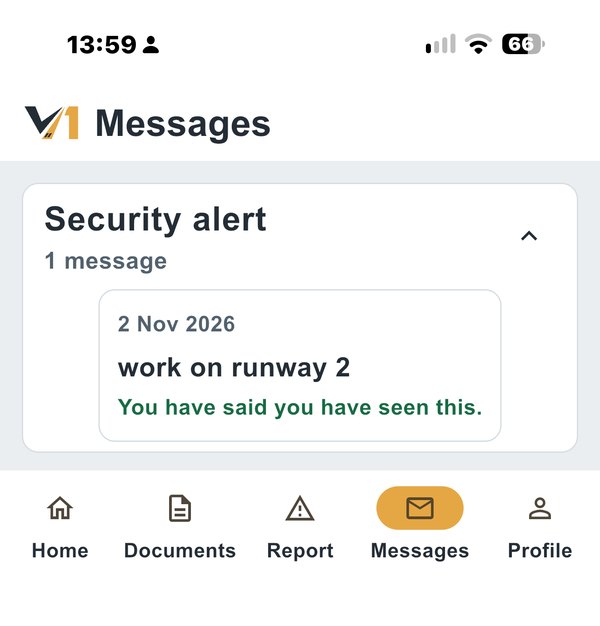
Safety messages and security alerts arrive on the phone. Press to say you have seen one, even with no signal, and your company can see who has.
- Alerts that must be acknowledged
- Acknowledged offline, sent later with the time you pressed it
- Several people can share one phone, each with their own PIN
See the app with your own manuals
Book a demonstration and we will show you the app on a phone, with and without a signal.
Book a demonstration